Video walkthrough
Watch the route, then match the frames
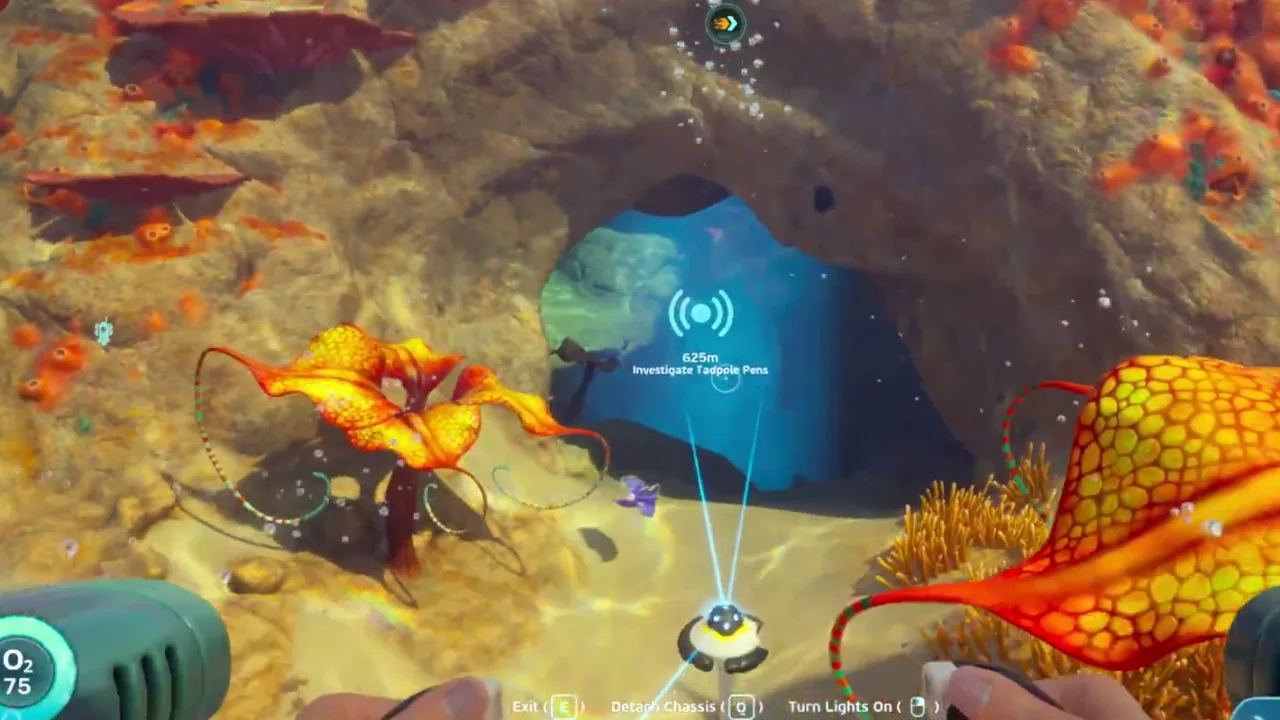
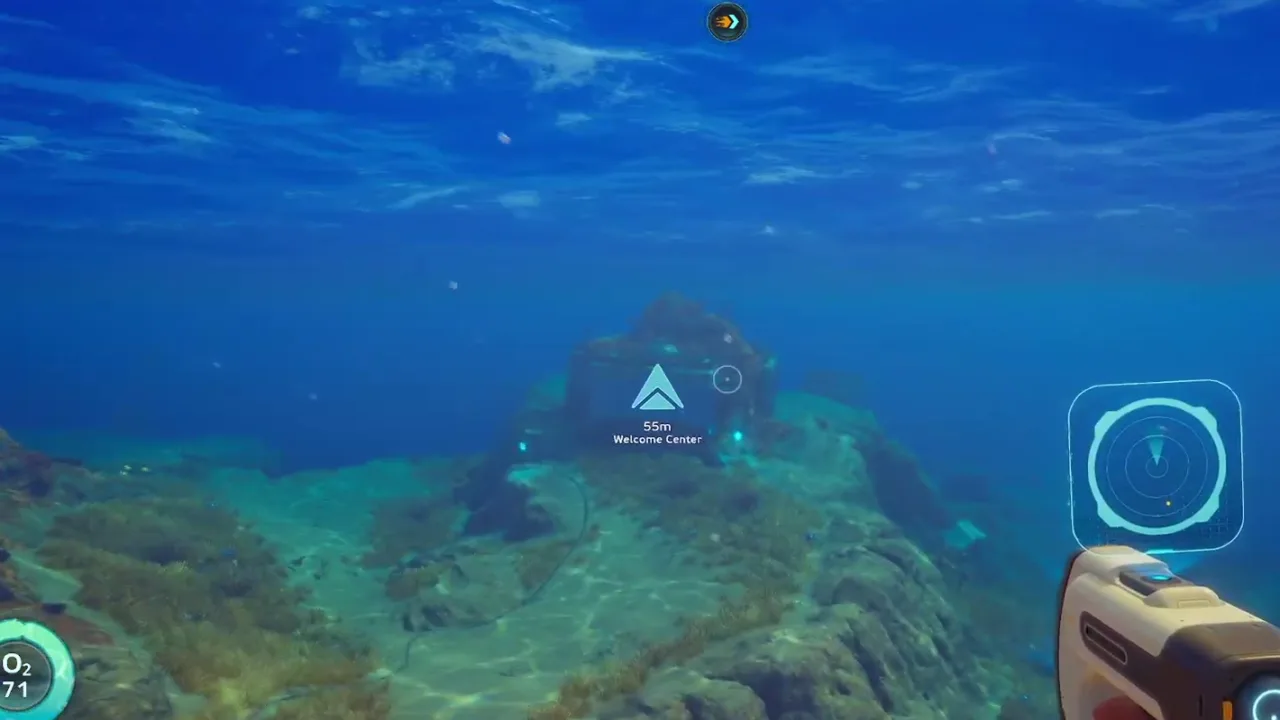 00:34Frame 1The early builder route should begin from a visible landmark before it asks for a deeper detour.
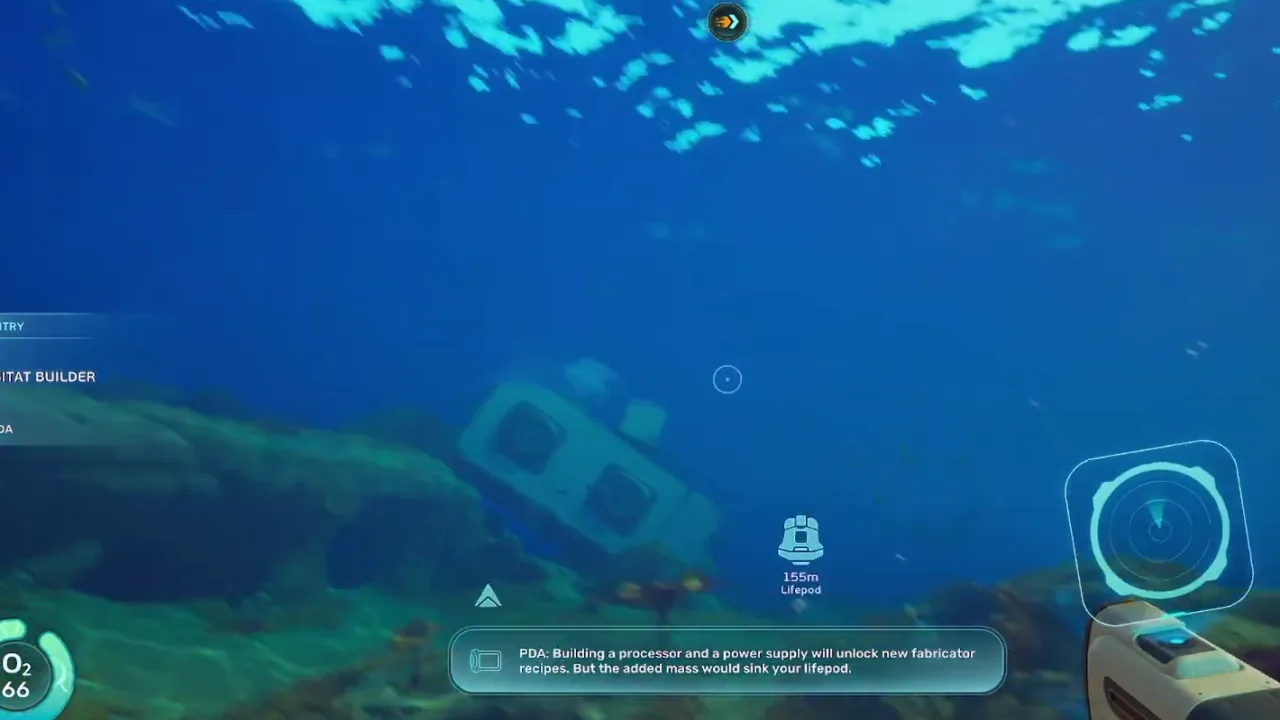 01:20Frame 2Treat each scan stop as progress only if you can still return and craft immediately.
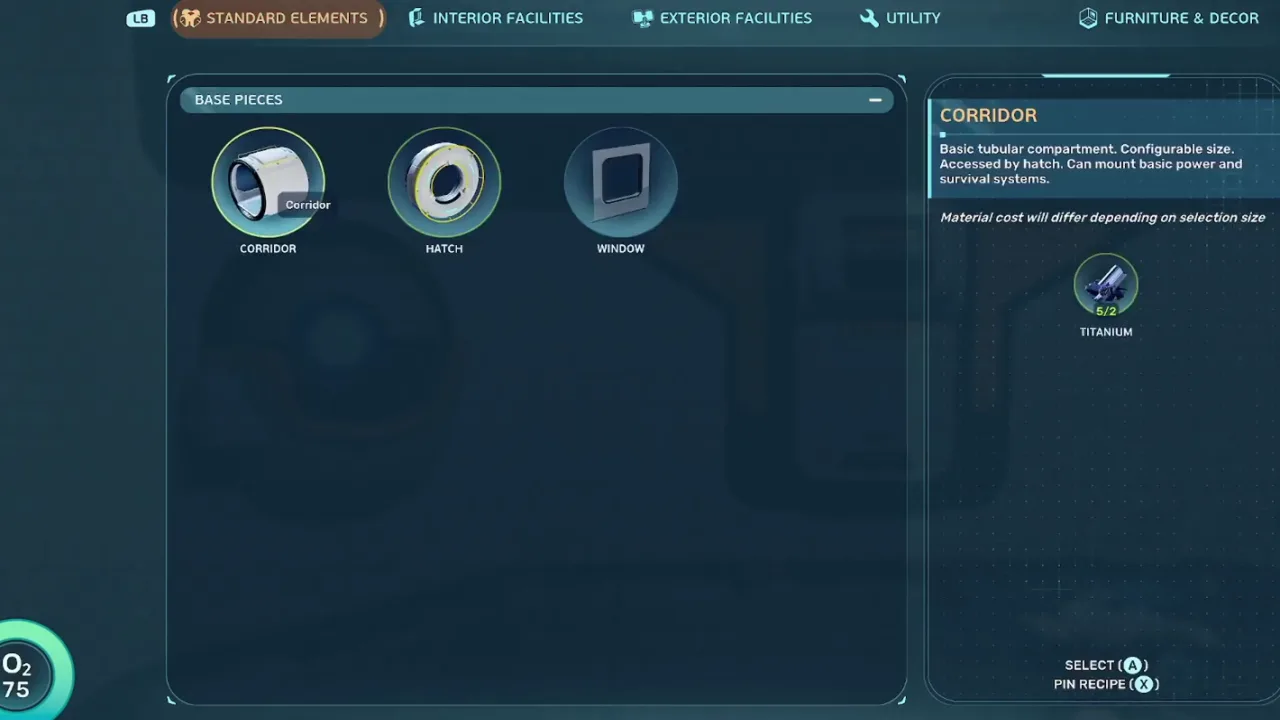 02:05Frame 3Once the builder unlock is confirmed, stop pushing and convert the route into a first base.
Video chapters
5 stepsVideo references
Watch or inspect the route before you dive
Click YouTube cards to load the player. Open frame cards to compare local screenshot notes. Use the evidence to confirm landmarks, movement, and encounter pacing, then follow the written checklist below.
Habitat Builder unlock reference
Watch for: Builder unlock pacing, scan stop recognition, and first-base priorities.
Early base build comparison
Watch for: How the builder route turns into power, fabricator access, and storage.
Route marker frame review
Watch for: Start with Habitat Builder fast unlock guide at 00:34. Compare the screenshot cue, route note, and player action before following the guide in-game.
Video watch notes
What to pause, compare, and write down
Do not watch the video like entertainment only. Use these notes as a second-screen checklist: pause on landmarks, confirm the player action, then return to the written route.
Watchlist
Watch for the route marker or landmark before the scan stop; that is what makes the unlock repeatable.
Pause when the blueprint or builder menu appears and check what the player can build immediately after returning.
Notice how the first base is functional before it is pretty: power, crafting, storage, and a safe approach line.
Route marker
The marker frame gives the first reliable route anchor for a new player following the builder unlock.
Action: Use it as the turn point, then stop collecting filler materials until the scan target is handled.
Blueprint stop
This is the progress checkpoint: scan first, loot second, leave before the trip becomes messy.
Action: Confirm the scan, check oxygen, and decide whether the safest next move is returning to build.
Builder unlock
The interface frame is the conversion moment from route guide to base planning.
Action: Build the minimum viable base before decorating or chasing a more dramatic location.
Video route timeline
Turn the video into playable checkpoints
Use this section like a second-screen route sheet. Open each checkpoint, compare the frame, do the action, then stop if your route no longer matches the video evidence. It keeps the guide useful even when Early Access shifts small placements or creature behavior.
00:34Checkpoint 1: Stabilize survival before chasing the builder route.The marker frame gives the first reliable route anchor for a new player following the builder unlock.Expand
Route marker
The early builder route should begin from a visible landmark before it asks for a deeper detour.
Player action
Stabilize survival before chasing the builder route.
Proof before moving on
The marker frame gives the first reliable route anchor for a new player following the builder unlock.
Watch this timestampIf this fails
Return immediately. The first base solves future pressure only if you survive the route back.
01:20Checkpoint 2: Follow a visible route marker toward the scan stop.This is the progress checkpoint: scan first, loot second, leave before the trip becomes messy.Expand
Blueprint stop
Treat each scan stop as progress only if you can still return and craft immediately.
Player action
Follow a visible route marker toward the scan stop.
Proof before moving on
This is the progress checkpoint: scan first, loot second, leave before the trip becomes messy.
Watch this timestampIf this fails
Use it later as an expansion site. The first base should support repeated material and scan routes.
02:05Checkpoint 3: Scan blueprint objects before gathering optional materials.The interface frame is the conversion moment from route guide to base planning.Expand
Builder unlock
Once the builder unlock is confirmed, stop pushing and convert the route into a first base.
Player action
Scan blueprint objects before gathering optional materials.
Proof before moving on
The interface frame is the conversion moment from route guide to base planning.
Watch this timestampIf this fails
Delay them. The first build should make the next three dives shorter and safer.
00:34Checkpoint 4: Return as soon as the unlock is confirmed.The marker frame gives the first reliable route anchor for a new player following the builder unlock.Expand
Route marker
The early builder route should begin from a visible landmark before it asks for a deeper detour.
Player action
Return as soon as the unlock is confirmed.
Proof before moving on
The marker frame gives the first reliable route anchor for a new player following the builder unlock.
Watch this timestampIf this fails
Return immediately. The first base solves future pressure only if you survive the route back.
01:20Checkpoint 5: Build power, fabricator access, and storage before decorating.This is the progress checkpoint: scan first, loot second, leave before the trip becomes messy.Expand
Blueprint stop
Treat each scan stop as progress only if you can still return and craft immediately.
Player action
Build power, fabricator access, and storage before decorating.
Proof before moving on
This is the progress checkpoint: scan first, loot second, leave before the trip becomes messy.
Watch this timestampIf this fails
Use it later as an expansion site. The first base should support repeated material and scan routes.
Gameplay evidence
Screenshots to match before you keep swimming
Use these frames as visual checkpoints. If the terrain, lighting, or landmark does not match, slow down and re-check the route instead of forcing the next step.
Route marker
The early builder route should begin from a visible landmark before it asks for a deeper detour.
Blueprint stop
Treat each scan stop as progress only if you can still return and craft immediately.
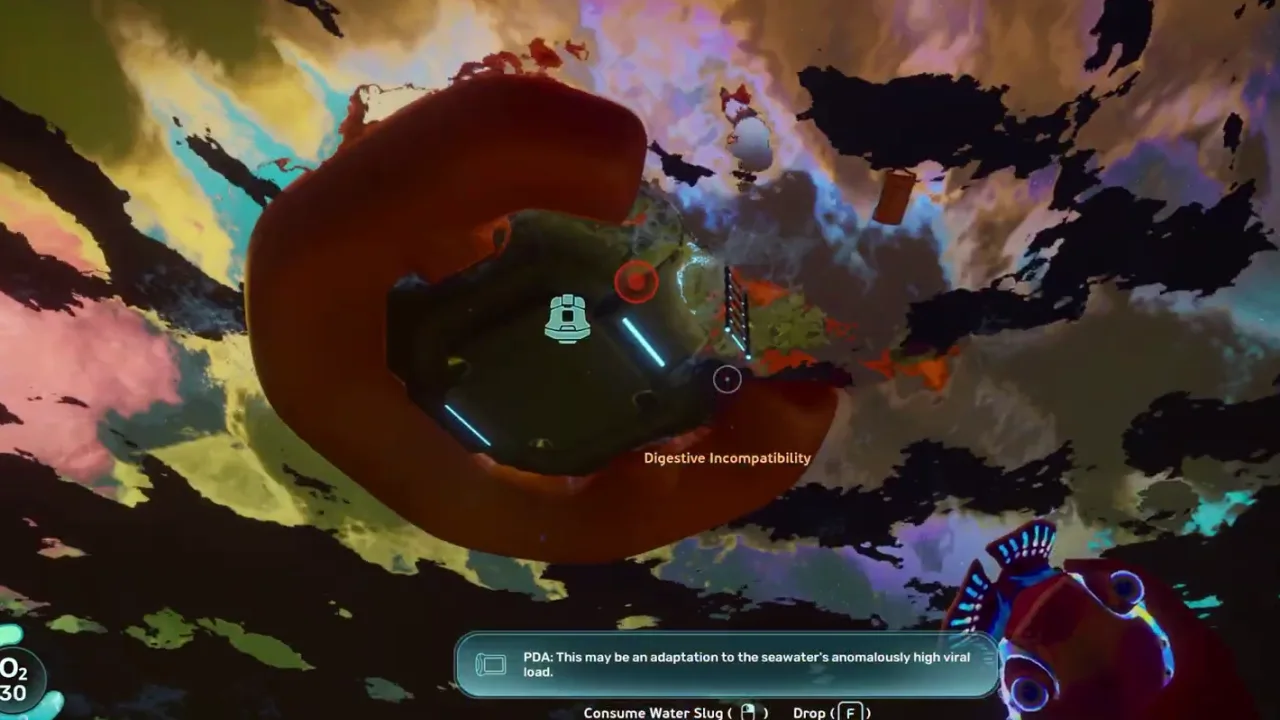
Builder unlock
Once the builder unlock is confirmed, stop pushing and convert the route into a first base.
Route decision lab
Decide if this route is worth running now
This section turns the video into a practical in-game decision. Use it before leaving base, after the first landmark, and again before entering a deeper or darker area.
Route purpose
Unlock the Habitat Builder by treating the scan route as a short objective chain: stabilize supplies, reach the blueprint stop, scan what matters, return, and build a practical starter base before pushing deeper.
Visual checkpoint
The early builder route should begin from a visible landmark before it asks for a deeper detour.
Map anchor
Habitat Builder Early Unlock in Starter route branch. Use it for use this when inventory pressure becomes the main blocker and you need a base loop quickly.
Abort rule
Unlocking the builder, then continuing deeper with low supplies.
Field manual translation
The Habitat Builder route is valuable because it converts exploration into a working base loop. The player should not keep chaining objectives after the unlock. The correct rhythm is stabilize supplies, follow the scan route, confirm the builder blueprint, return, then build the minimum base that supports storage, power, fabricator access, and safer future dives.
Primary job
Unlock and return - The route is complete when the builder is confirmed and the player can craft or place core base parts.
Best entry habit
Short objective chain - Treat each scan stop as a checkpoint. Optional materials can wait until the base loop exists.
Stop condition
Blueprint confirmed - Do not continue deeper just because the route still has interesting signals.
Patch-safe reading
Exact item positions can shift during Early Access. The useful part of this page is the route logic: what to prepare, what visual cue to confirm, what objective to finish, and when to turn back.
Updated
2026-06-12 / tracking / Early Access
What this guide covers
Requirements
- Food and water buffer
- Scanner
- Free inventory space
Use this if
You want a route you can follow from video evidence without needing exact official coordinates. The screenshots and steps are written to help you recognize areas, landmarks, and decisions while playing.
Early Access can move details. Treat this as a video-based walkthrough and verify landmarks in your own build.
Step-by-step walkthrough
Follow the video route without guessing
Stabilize survival before chasing the builder route.
Use this step as a route checkpoint, not as a promise that every object spawns in one exact coordinate. Match the landmark, compare the screenshot, then continue only if the return path is still clear.
If your game build looks different, stay with the same decision: keep oxygen safe, scan or collect the current blocker, and return before pushing into the next unknown area.
The early builder route should begin from a visible landmark before it asks for a deeper detour.
Follow a visible route marker toward the scan stop.
Use this step as a route checkpoint, not as a promise that every object spawns in one exact coordinate. Match the landmark, compare the screenshot, then continue only if the return path is still clear.
If your game build looks different, stay with the same decision: keep oxygen safe, scan or collect the current blocker, and return before pushing into the next unknown area.
Treat each scan stop as progress only if you can still return and craft immediately.
Scan blueprint objects before gathering optional materials.
Use this step as a route checkpoint, not as a promise that every object spawns in one exact coordinate. Match the landmark, compare the screenshot, then continue only if the return path is still clear.
If your game build looks different, stay with the same decision: keep oxygen safe, scan or collect the current blocker, and return before pushing into the next unknown area.
Once the builder unlock is confirmed, stop pushing and convert the route into a first base.
Return as soon as the unlock is confirmed.
Use this step as a route checkpoint, not as a promise that every object spawns in one exact coordinate. Match the landmark, compare the screenshot, then continue only if the return path is still clear.
If your game build looks different, stay with the same decision: keep oxygen safe, scan or collect the current blocker, and return before pushing into the next unknown area.
The early builder route should begin from a visible landmark before it asks for a deeper detour.
Build power, fabricator access, and storage before decorating.
Use this step as a route checkpoint, not as a promise that every object spawns in one exact coordinate. Match the landmark, compare the screenshot, then continue only if the return path is still clear.
If your game build looks different, stay with the same decision: keep oxygen safe, scan or collect the current blocker, and return before pushing into the next unknown area.
Treat each scan stop as progress only if you can still return and craft immediately.
After-action plan
What to do after the guide works
Bank the result
Build power, fabricator access, and storage before decorating.
Clean the inventory
Move route-critical materials into labeled storage so the next dive starts with empty space and a clear job.
Pick the next guide
How to choose a first base site with safe oxygen routes, repeatable resources, visibility, and room to expand.
Next route queue
Use these as the next blockers to solve after this route. Each queue card keeps the same evidence style: source video, gameplay frames, and a written checklist.
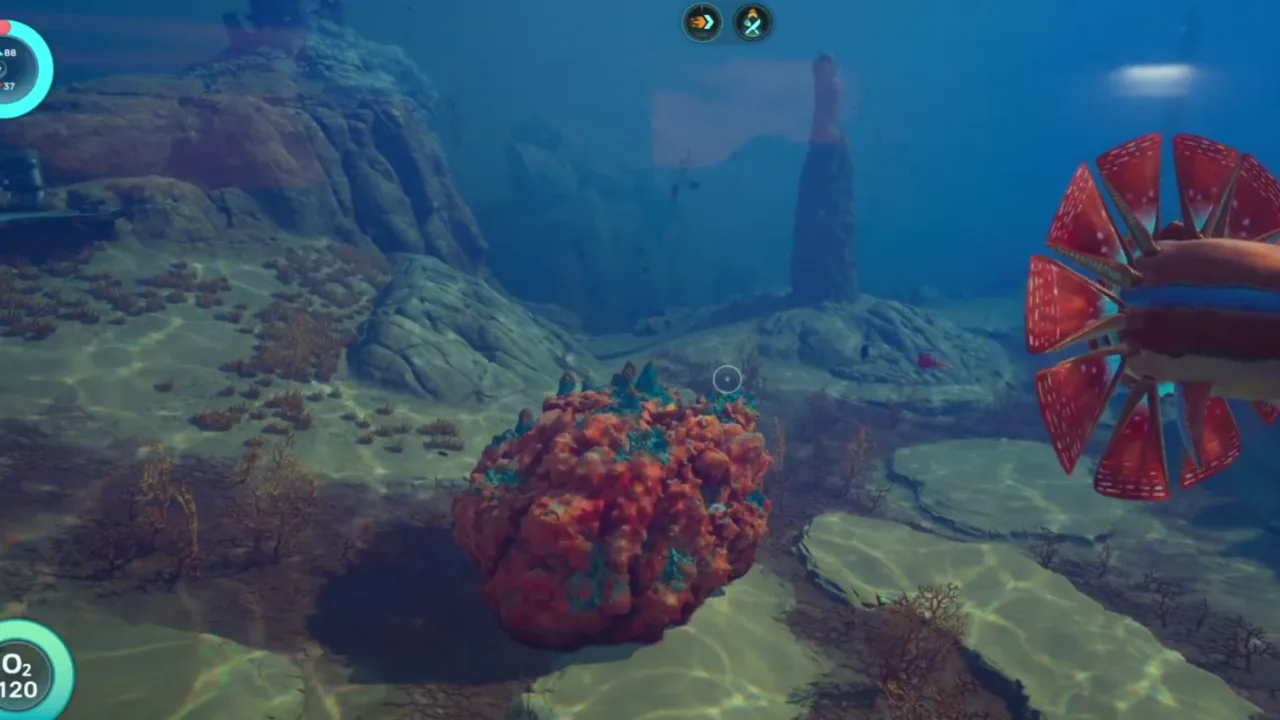 Best immediate follow-up
Best First Base Location
How to choose a first base site with safe oxygen routes, repeatable resources, visibility, and room to expand.
 Use if the route branches
Best Base Locations Expanded
A more detailed base-location framework for choosing safe, useful, and expandable starter and midgame bases.
 Save for the next dive
Crafting Progression Guide
A practical crafting priority list for tools, storage, mobility, base modules, and safer exploration.
Detailed notes
The builder route is not a base tour
The first goal is to unlock construction, not to solve every nearby objective. A clean return with the Habitat Builder does more for progression than a long route that ends with full inventory and no base.
How to use this in-game
Turn this note into one action before leaving base: decide the objective, keep only the materials or tools that support it, then stop the route once the scan, pickup, or landmark is confirmed. This keeps the guide useful even when Early Access patches move small details.
First base minimum
Start with power, fabricator access, labeled storage, and a safe approach line. Those four pieces reduce repeat travel and make every later route easier to plan.
Power
Fabricator
Storage
Safe approach
How to use this in-game
Turn this note into one action before leaving base: decide the objective, keep only the materials or tools that support it, then stop the route once the scan, pickup, or landmark is confirmed. This keeps the guide useful even when Early Access patches move small details.
When to expand
Expand only after the site proves useful across several resource runs. If you keep passing the base naturally, it is probably in the right place.
How to use this in-game
Turn this note into one action before leaving base: decide the objective, keep only the materials or tools that support it, then stop the route once the scan, pickup, or landmark is confirmed. This keeps the guide useful even when Early Access patches move small details.
Practical field read
How to Unlock the Habitat Builder Early works best when you treat it as a session flow with a narrow job. Start with the loadout check: Food and water buffer. Then follow the first action without adding side goals: Stabilize survival before chasing the builder route.. The page should help you recognize the moment the plan becomes safer than improvising before you risk a longer dive. If the route starts producing unrelated discoveries, bank the note and return to the original objective instead of turning one guide into a full map sweep.
Loadout check: Food and water buffer
Route check: Scanner
First action: Stabilize survival before chasing the builder route.
Proof point: Builder
How to use this in-game
Turn this note into one action before leaving base: decide the objective, keep only the materials or tools that support it, then stop the route once the scan, pickup, or landmark is confirmed. This keeps the guide useful even when Early Access patches move small details.
How to turn this into the next dive
After the first proof point, decide whether the route is solved, blocked, or worth repeating. Follow a visible route marker toward the scan stop.. If it is solved, return and convert the result into crafting, storage, a map note, or the next related guide. If it is blocked, change only one variable: bring the missing tool, clear inventory, enter from a cleaner landmark, or wait for better oxygen and vehicle support. Scan blueprint objects before gathering optional materials.. Avoid the two habits that make this route feel unreliable: Unlocking the builder, then continuing deeper with low supplies.; Choosing a base site before checking resource access..
How to use this in-game
Turn this note into one action before leaving base: decide the objective, keep only the materials or tools that support it, then stop the route once the scan, pickup, or landmark is confirmed. This keeps the guide useful even when Early Access patches move small details.
Video route notes
How to Unlock the Habitat Builder Early should be followed as a progression route, not as a memory test. Start by watching the first route movement and naming the entry condition before copying the path in-game. Stabilize survival before chasing the builder route. Then pause again when the video reaches the first visible proof point, because that is where the guide changes from general advice into an action you can repeat. Follow a visible route marker toward the scan stop. If the route starts to feel different in your build, keep the same player goal: turn the video into a safe repeatable session plan.
Entry check: Food and water buffer
Route action: Stabilize survival before chasing the builder route.
Proof to look for: objective proof
Version note: Early Access / tracking
How to use this in-game
Turn this note into one action before leaving base: decide the objective, keep only the materials or tools that support it, then stop the route once the scan, pickup, or landmark is confirmed. This keeps the guide useful even when Early Access patches move small details.
Screenshot checkpoints
Use screenshots as checkpoints instead of decoration. The first image should answer where the route begins, the second should show what confirms progress, and the third should explain what to do after the scan, pickup, puzzle state, or threat read is visible. Scan blueprint objects before gathering optional materials. This is especially important in Early Access because exact positions can drift while landmarks, depth bands, room states, and player decisions stay useful. A good screenshot lets you say, "I am at the right kind of place," before you risk oxygen, storage space, or vehicle safety.
Entry frame: match the landmark before moving deeper
Proof frame: confirm objective proof
Exit frame: know the return direction before adding side goals
Loadout frame: check Scanner
How to use this in-game
Turn this note into one action before leaving base: decide the objective, keep only the materials or tools that support it, then stop the route once the scan, pickup, or landmark is confirmed. This keeps the guide useful even when Early Access patches move small details.
Stop rule and next dive
The most useful part of this page is the stop rule. Unlocking the builder, then continuing deeper with low supplies. Choosing a base site before checking resource access. When the objective is confirmed, return and convert it into progress: craft the upgrade, sort the material, save the route note, or mark the blocker as solved. If the route fails, do not repeat the same swim blindly. Change one variable at a time: enter from a clearer landmark, reduce inventory clutter, bring the missing tool, or wait until oxygen and vehicle support match the route. That turns a failed progression route into better field knowledge instead of another overextended dive.
How to use this in-game
Turn this note into one action before leaving base: decide the objective, keep only the materials or tools that support it, then stop the route once the scan, pickup, or landmark is confirmed. This keeps the guide useful even when Early Access patches move small details.
Common mistakes
Unlocking the builder, then continuing deeper with low supplies.
Choosing a base site before checking resource access.
Building decorative rooms before power and storage are stable.
FAQ
Is this guide for the current Subnautica 2 build?
This page is written for Early Access and includes a visible update date. Treat exact values as tracking notes until the current build is field-tested.
Does this page use official screenshots?
Pages combine attributed official Steam / Unknown Worlds media, local gameplay frame captures, and source-video evidence cards. New player-submitted captures should keep the route, timestamp, and build context attached.
Community notes
Add a field report
Player reports enter a moderation queue. Approved notes can load from Supabase; pending drafts stay visible in this browser for follow-up.
Near starter shallows
Approx. 70-120m from pod
Confirm oxygen before leaving the first landmark. The route is much safer when you mark the return path before collecting side materials.
Guide-wide
N/A
Creature patrol ranges and fragment placement can shift between builds, so treat exact distances as field estimates until multiple players confirm them.